
Choose what visitors see when they open a folder that has no index page.
Log in to cPanel from your client area. If that link is unavailable, use the panel address in your welcome email. The cPanel dashboard opens.
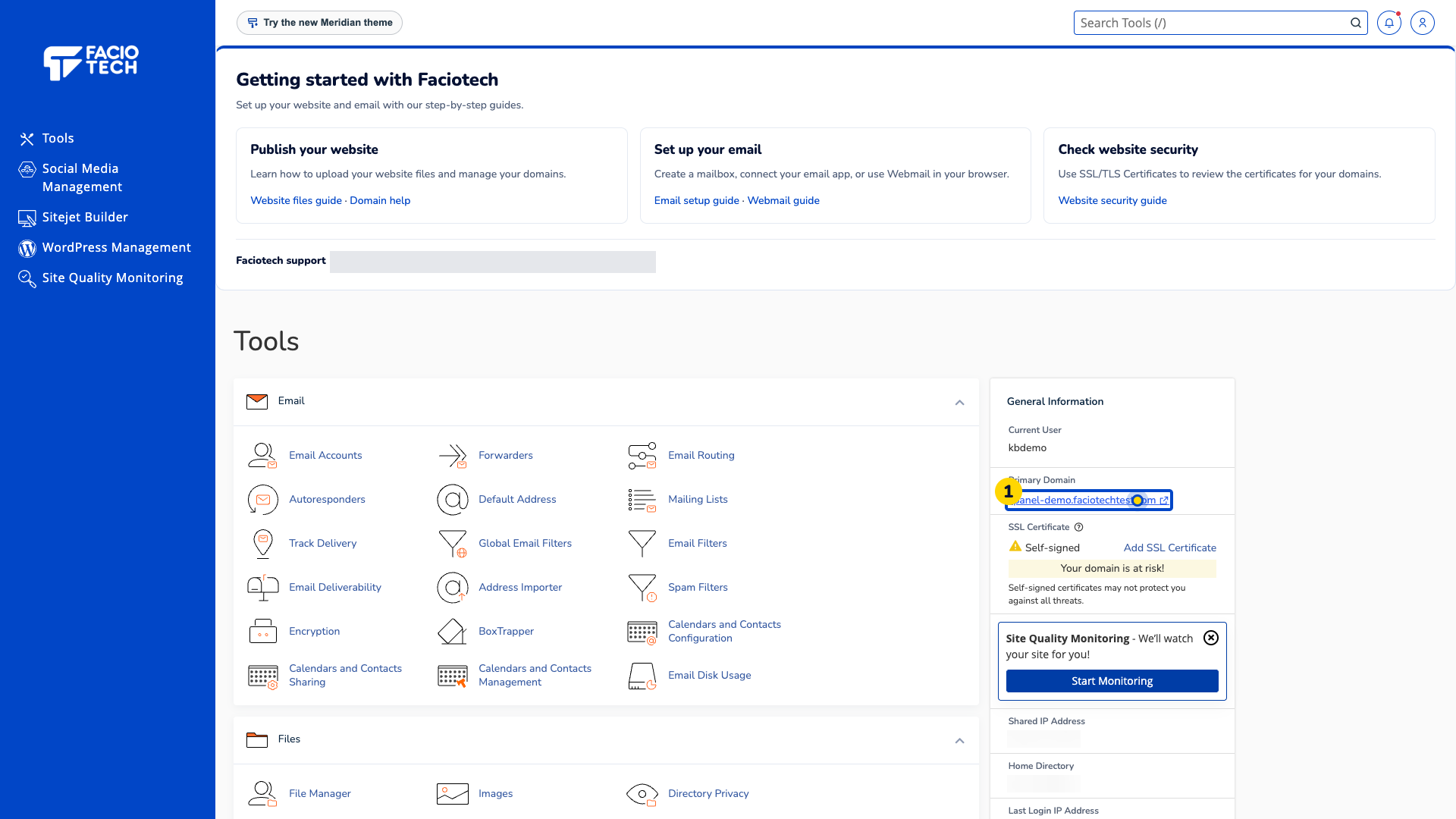
Open Indexes from Tools. The folder list appears.
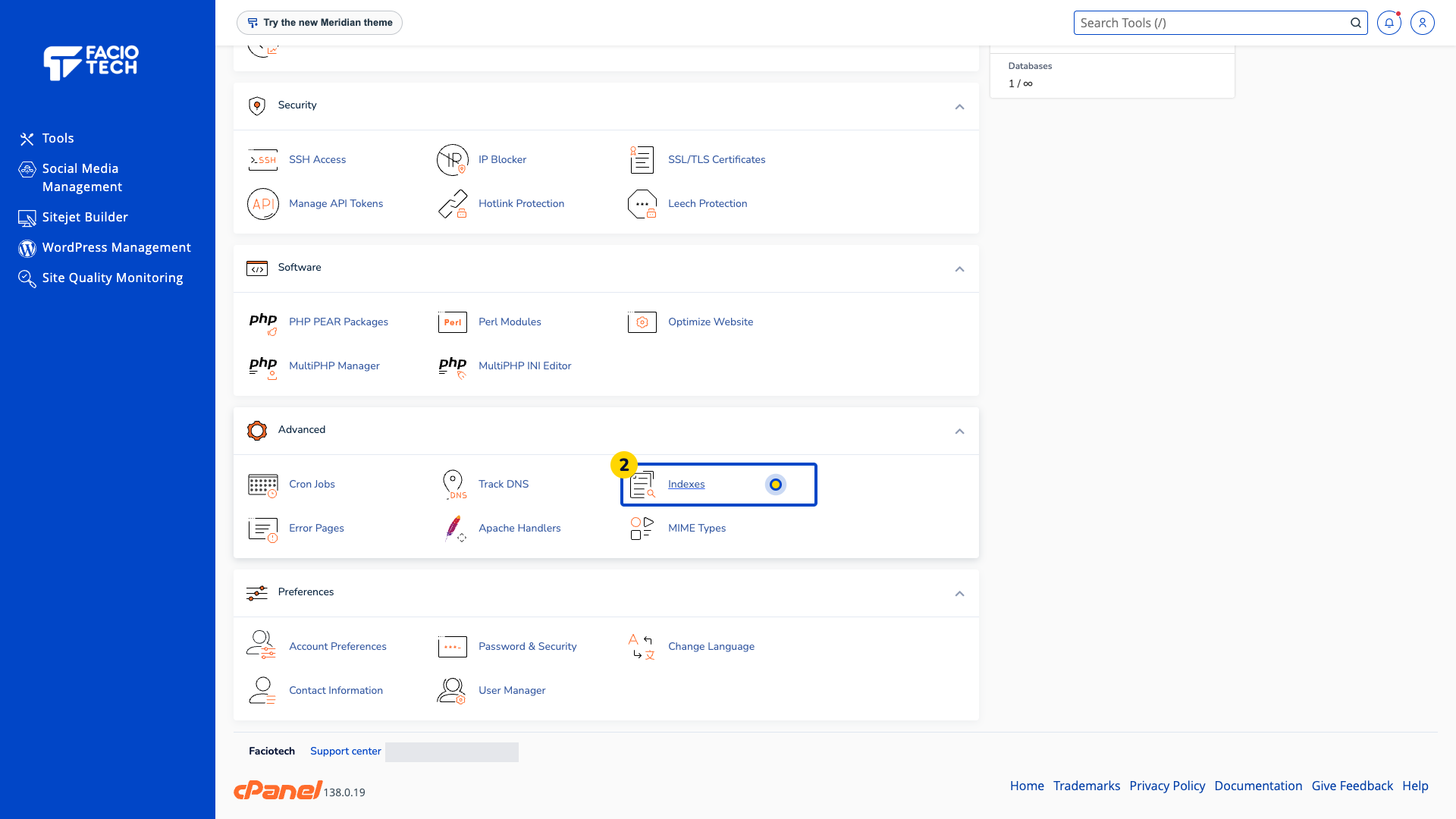
Open the website folder you intend to use. This example uses public_html.
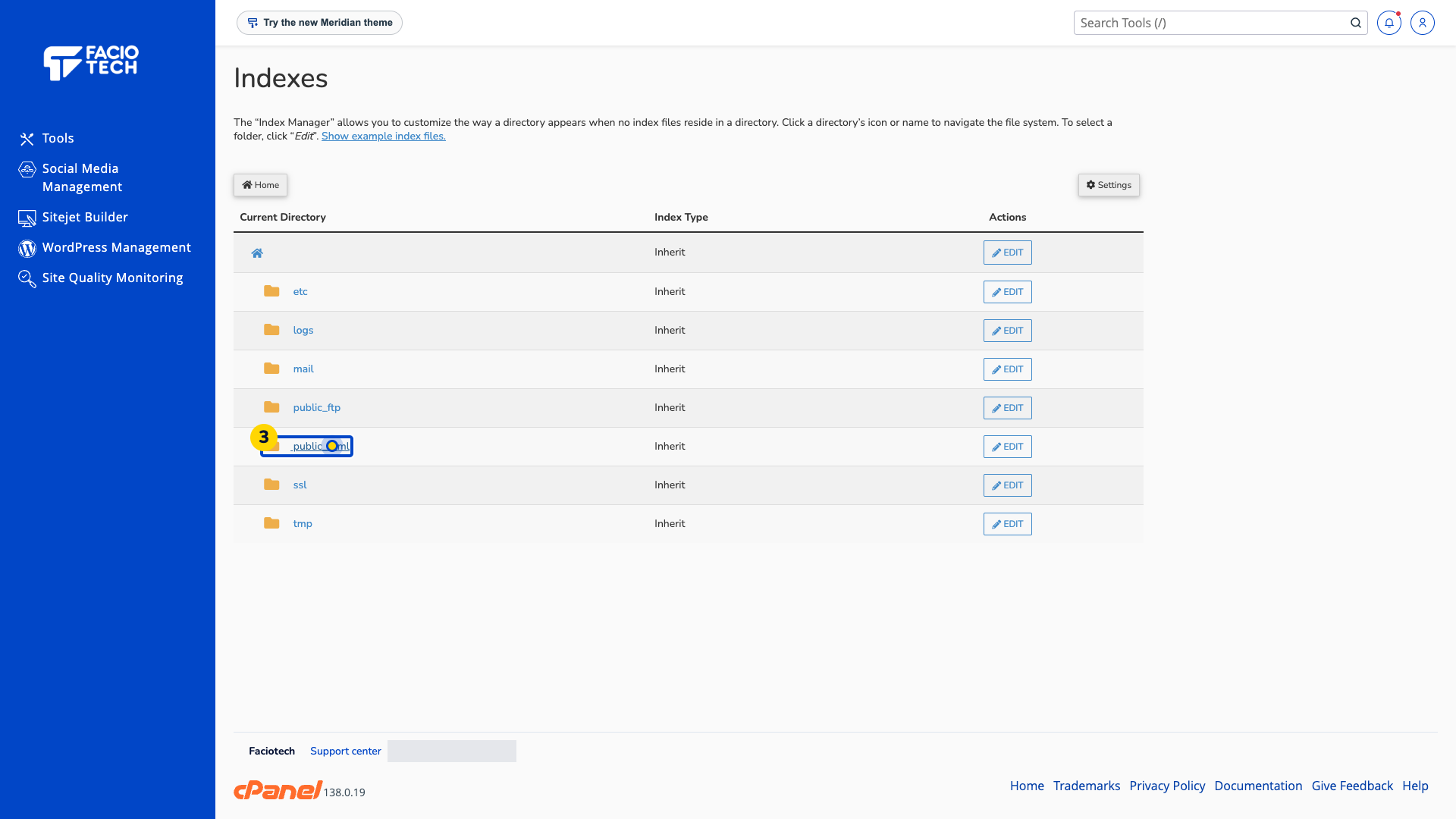
Choose Edit beside the folder you want to change. Check that the displayed folder is the one you intended.
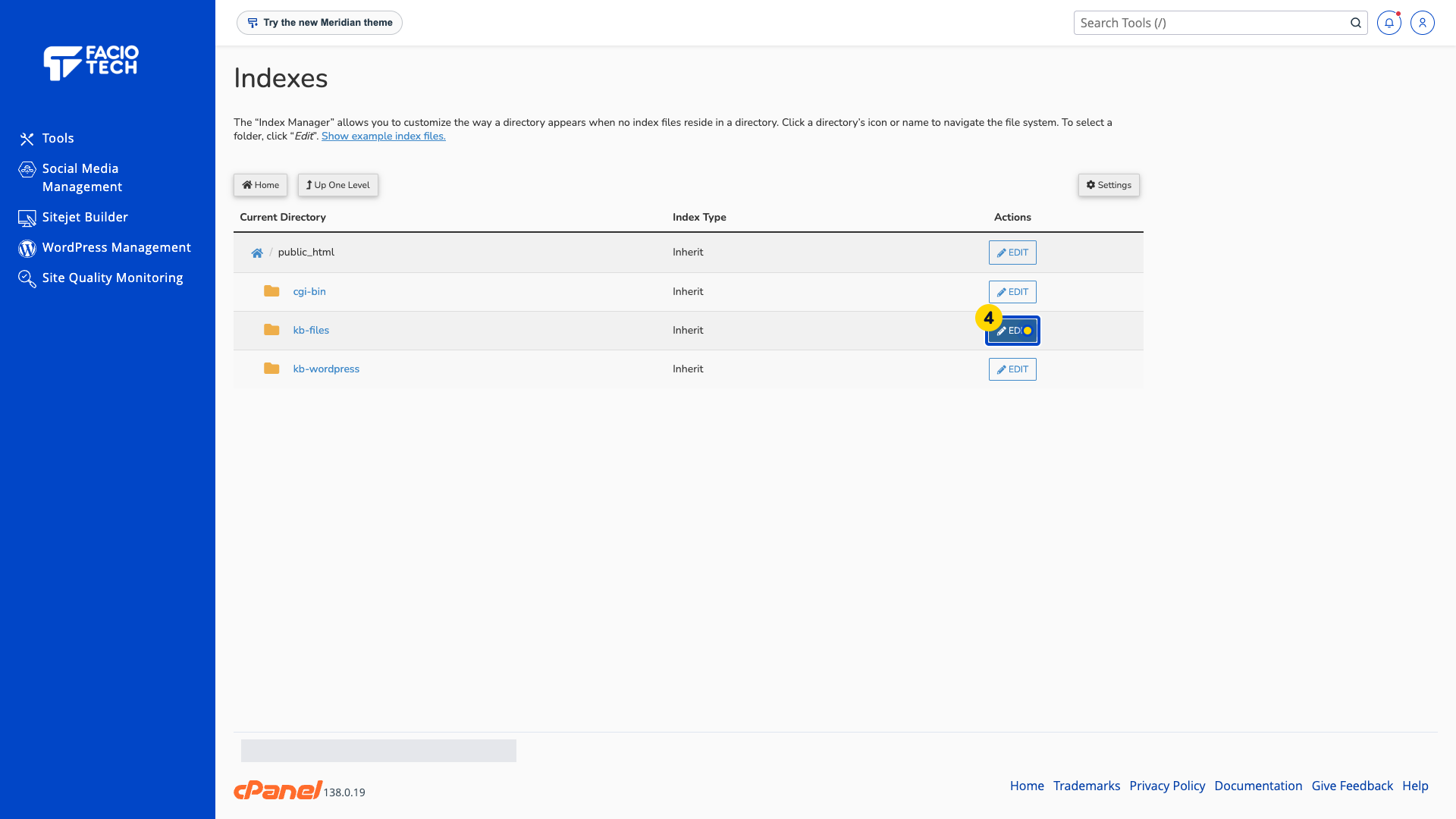
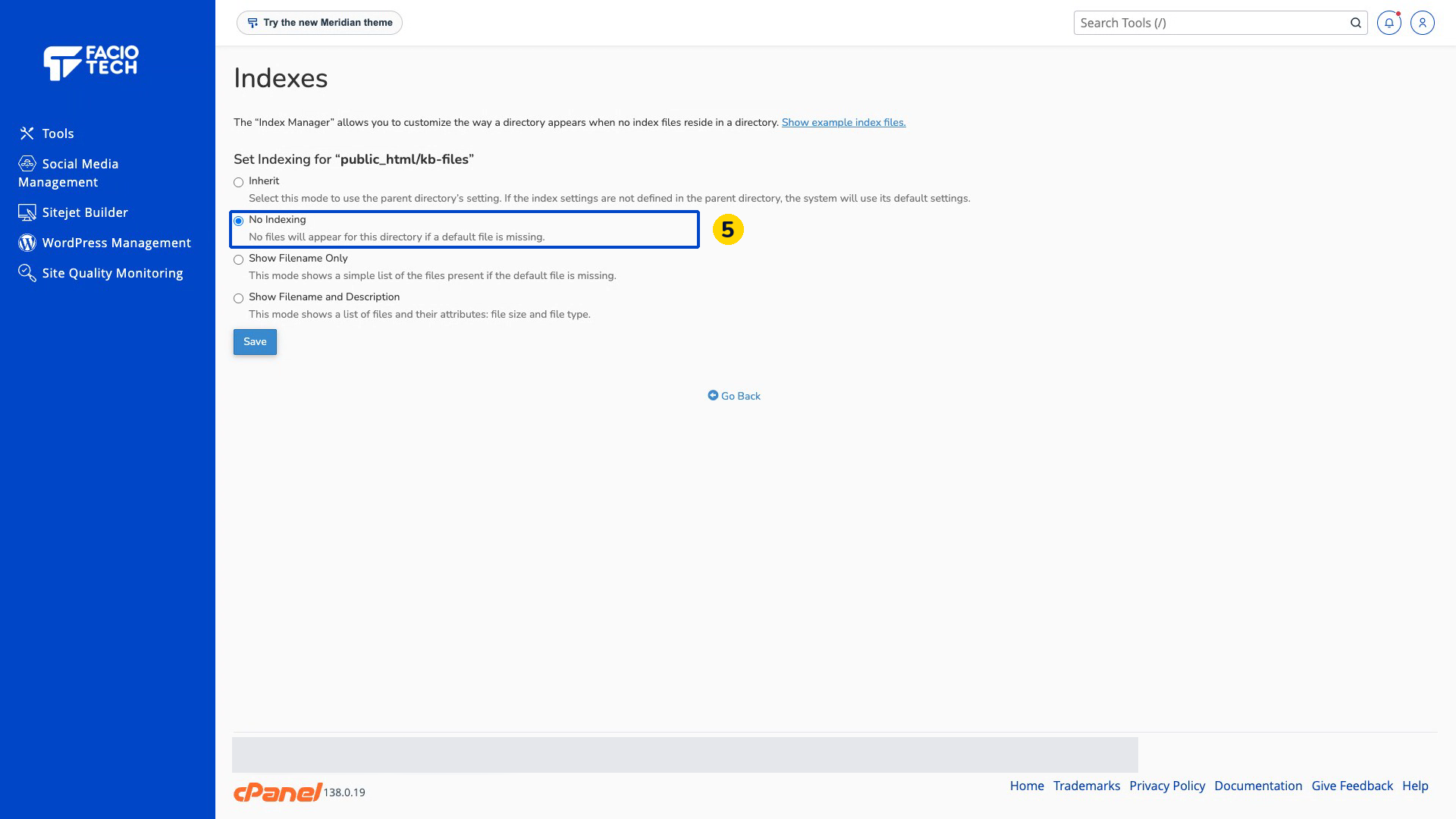
Choose No Indexing to hide the folder listing when no index page exists.
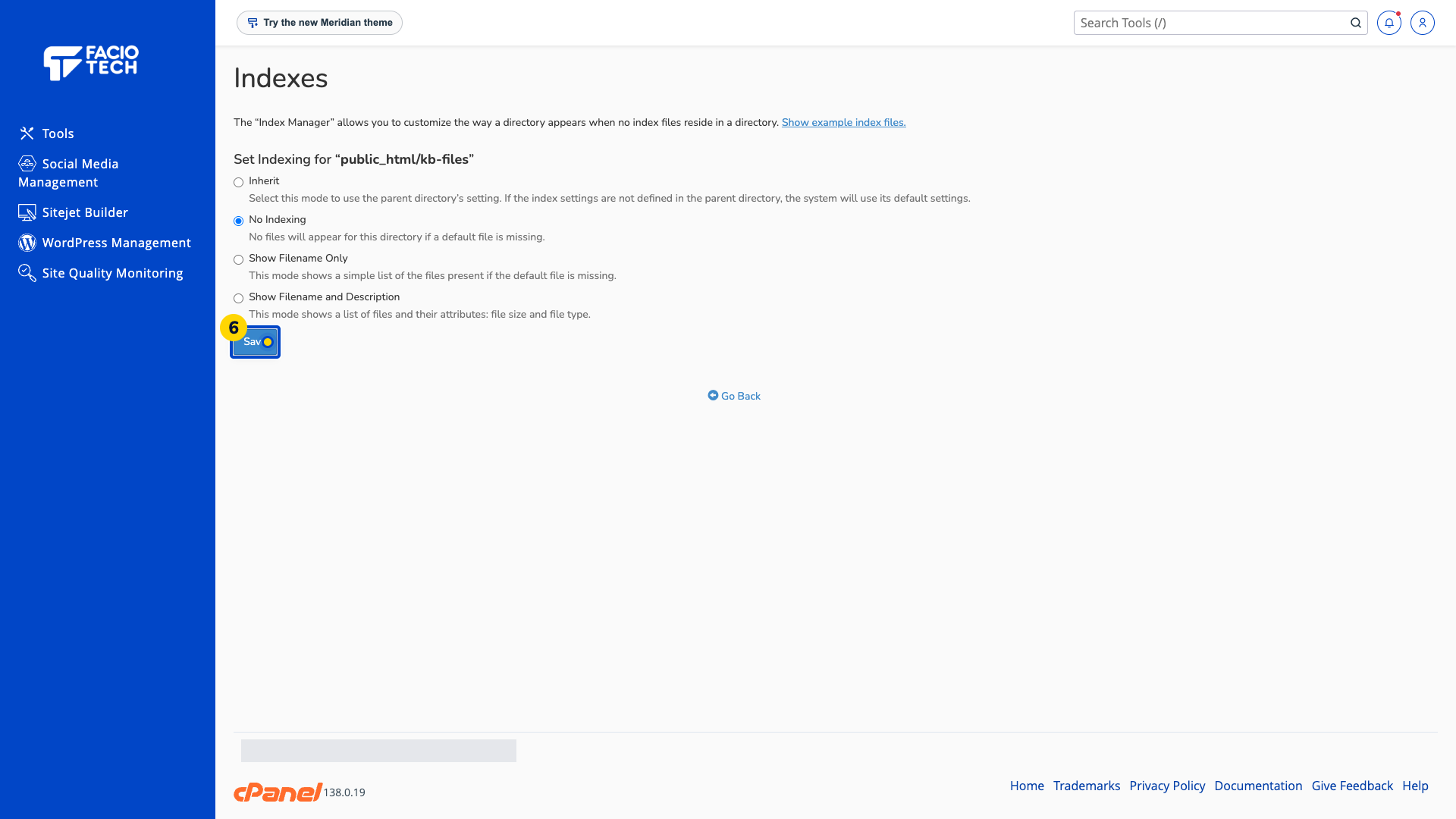
Choose Save. The system reports that the directory index settings were updated and that directory indexing is disabled.
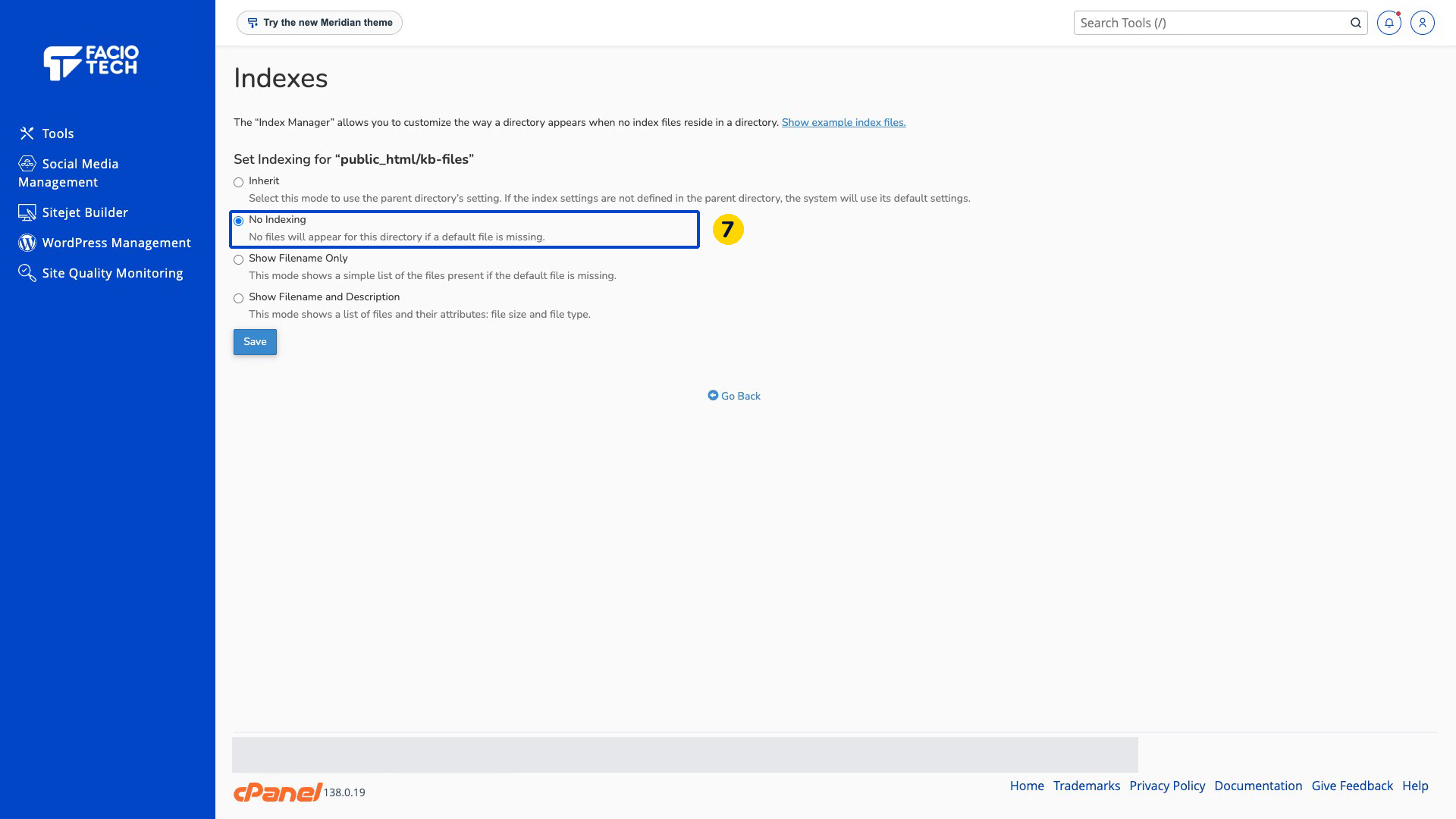
Reopen the folder’s Indexes settings and check that No Indexing is still selected.
No Indexing controls the folder listing. It does not block direct links to files.
Inherit uses the parent folder’s indexing setting. The other choices display filenames, with optional file details.
Video walkthrough
Sources
For help, contact Faciotech support.
