
Read the list of active FTP sessions for your hosting account.
Log in to cPanel from your client area. If that link is unavailable, use the panel address in your welcome email. The cPanel dashboard opens.
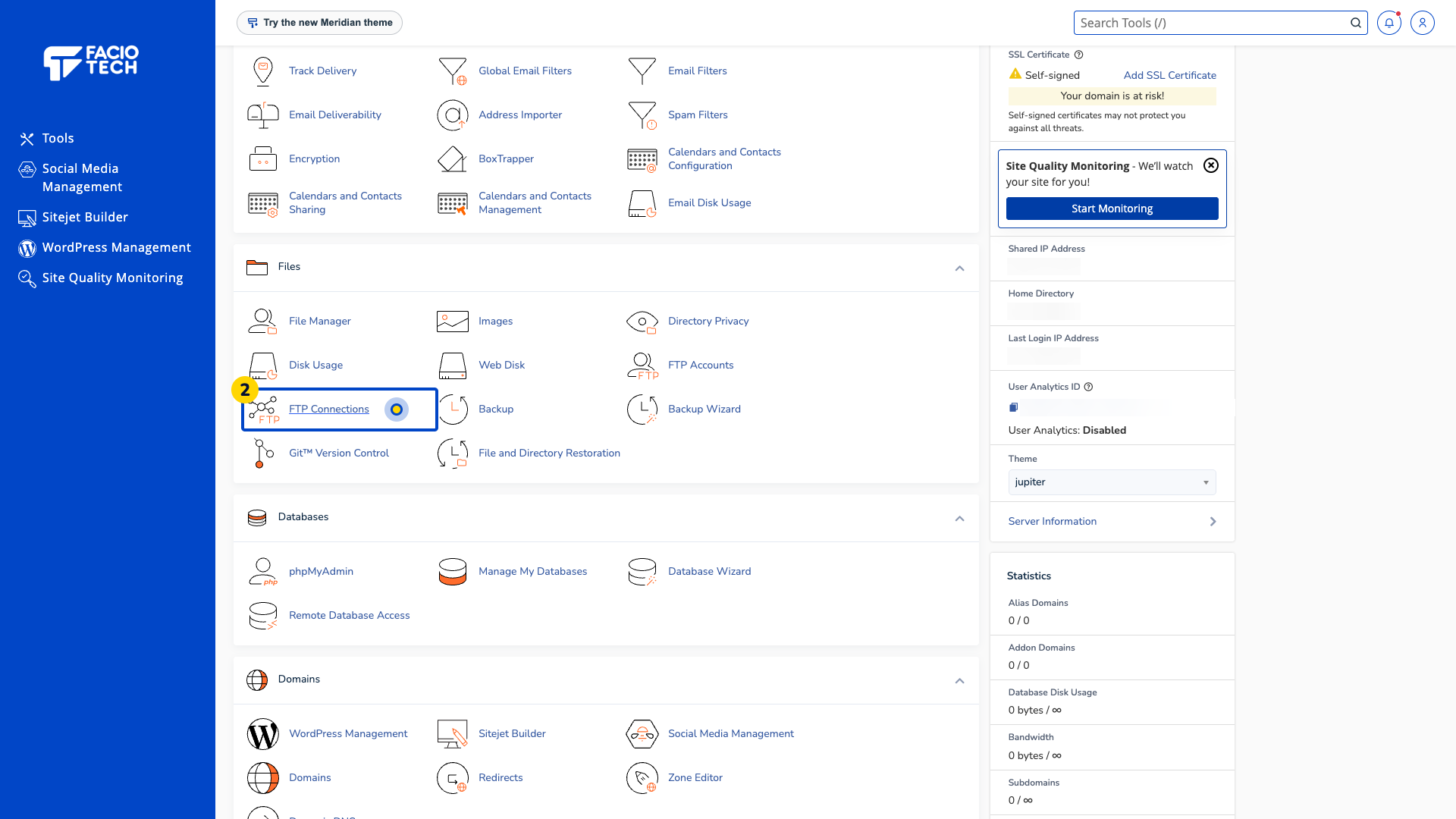
Open FTP Connections from Tools. The FTP Connections page opens.
Find Current Connections. The table identifies any sessions visible to your account.
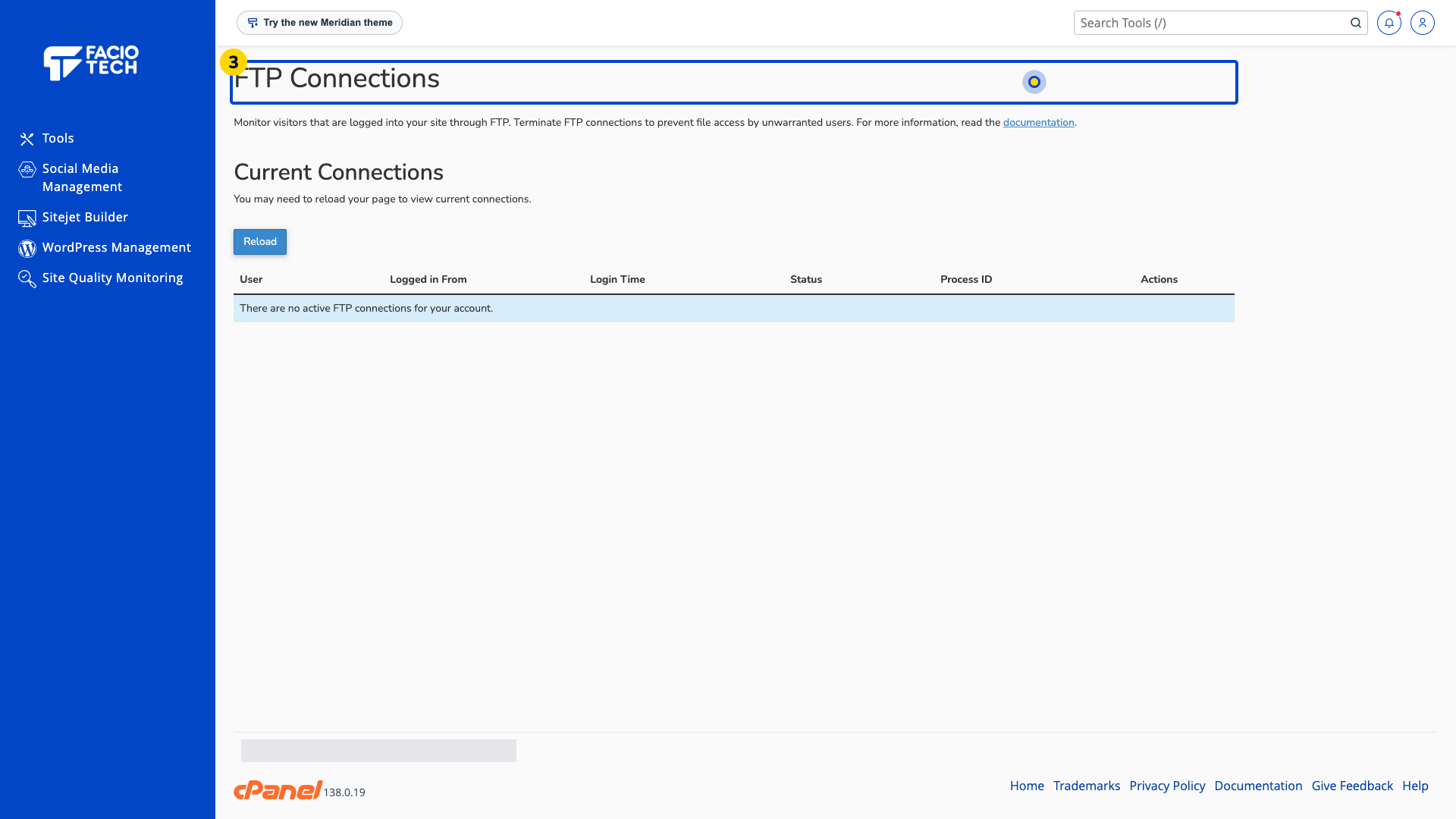
Read the user and login time before deciding whether a session is expected. An empty list means the tool currently reports no active sessions.
Ask support to investigate a session you do not recognise before terminating access.
For help, contact Faciotech support.
