
Read the current spam-filtering choices before changing how messages are handled.
Log in to cPanel from your client area. If that link is unavailable, use the panel address in your welcome email. The cPanel dashboard opens.
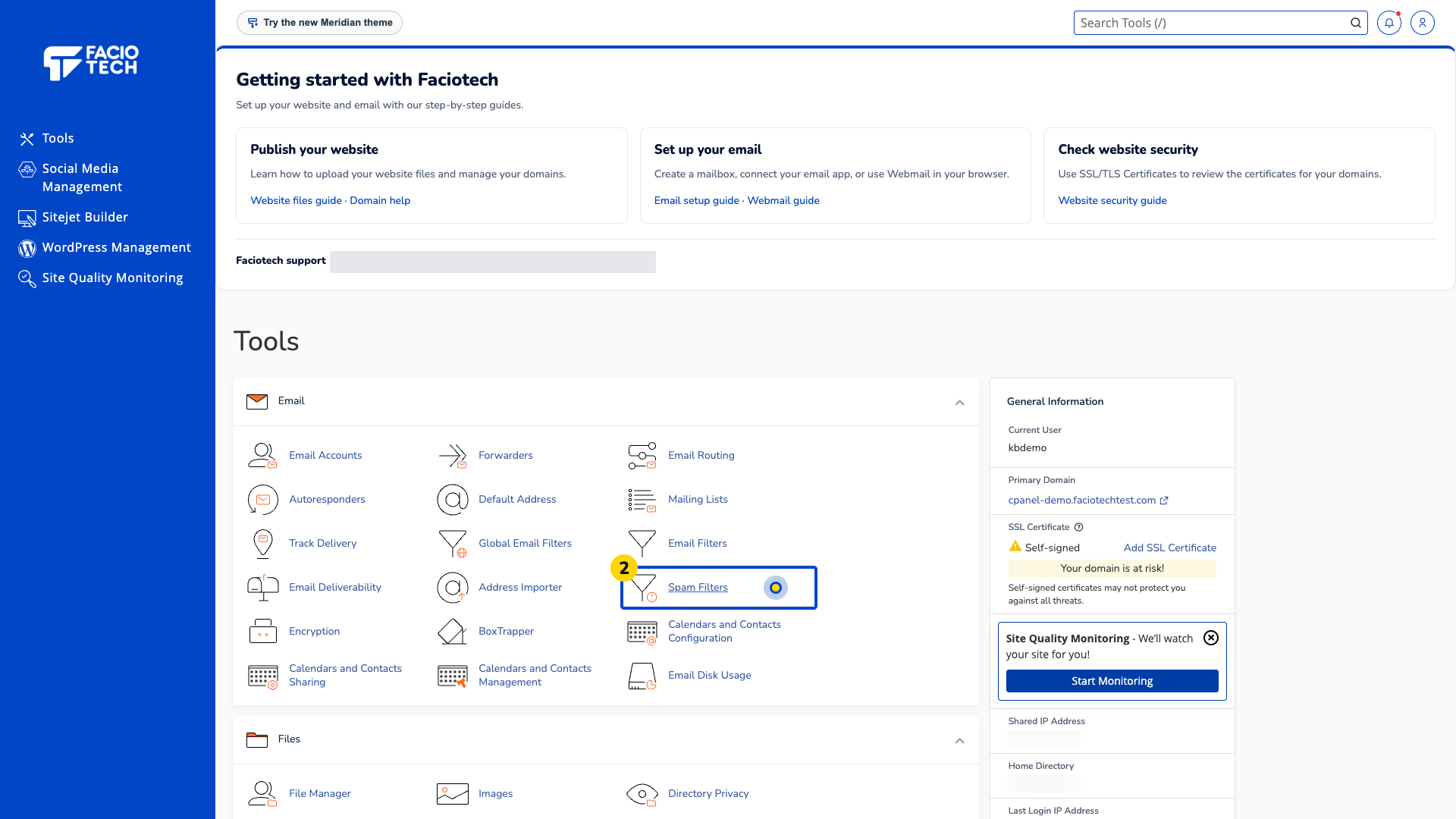
Open Spam Filters from Tools. The Spam Filters page opens.
Read Process New Emails and Mark them as Spam. The page reports whether the spam filter is enabled.
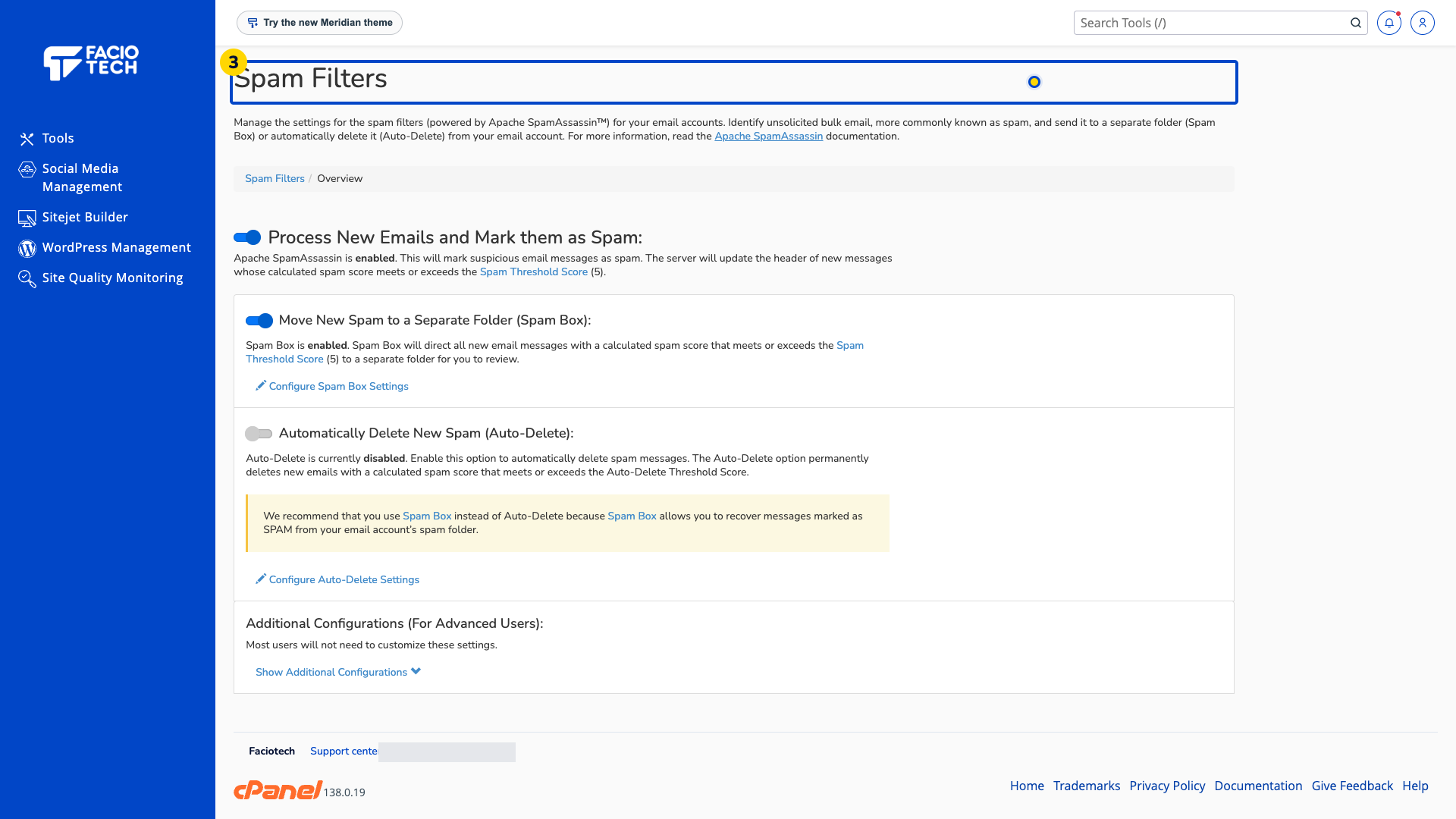
Read Move New Spam to a Separate Folder and Automatically Delete New Spam. Check their reported states separately.
Ask support about a setting you do not understand before changing it.
Auto-Delete removes matching new messages permanently. Review suspected spam in a folder when you need a chance to recover misclassified mail. The demo’s current choices are examples, not a service guarantee.
For help, contact Faciotech support.
