
Read the email authentication checks for your domain and collect the findings for support.
Log in to cPanel from your client area. If that link is unavailable, use the panel address in your welcome email. The cPanel dashboard appears after successful sign-in.
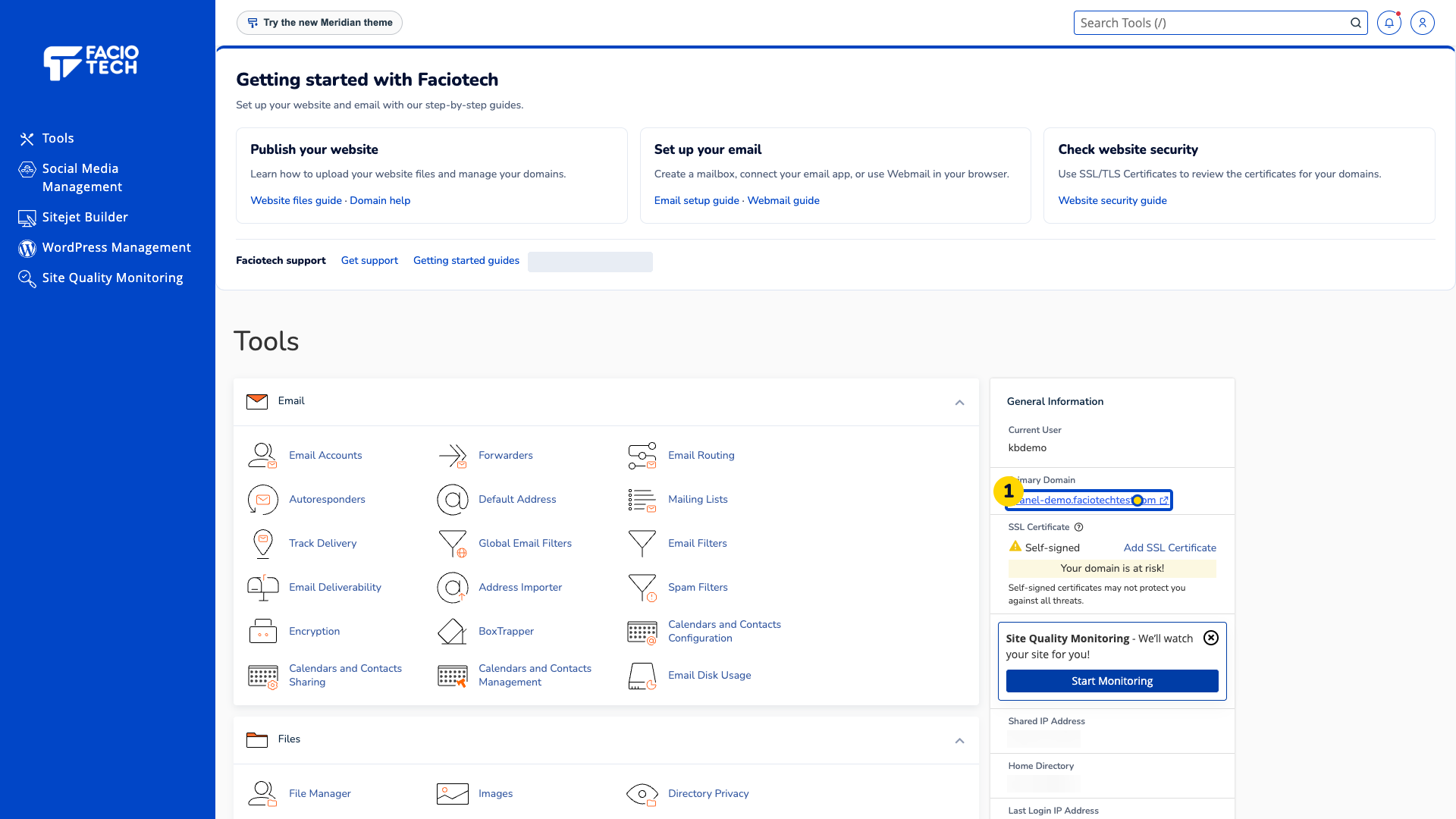
Open Email Deliverability from Tools.
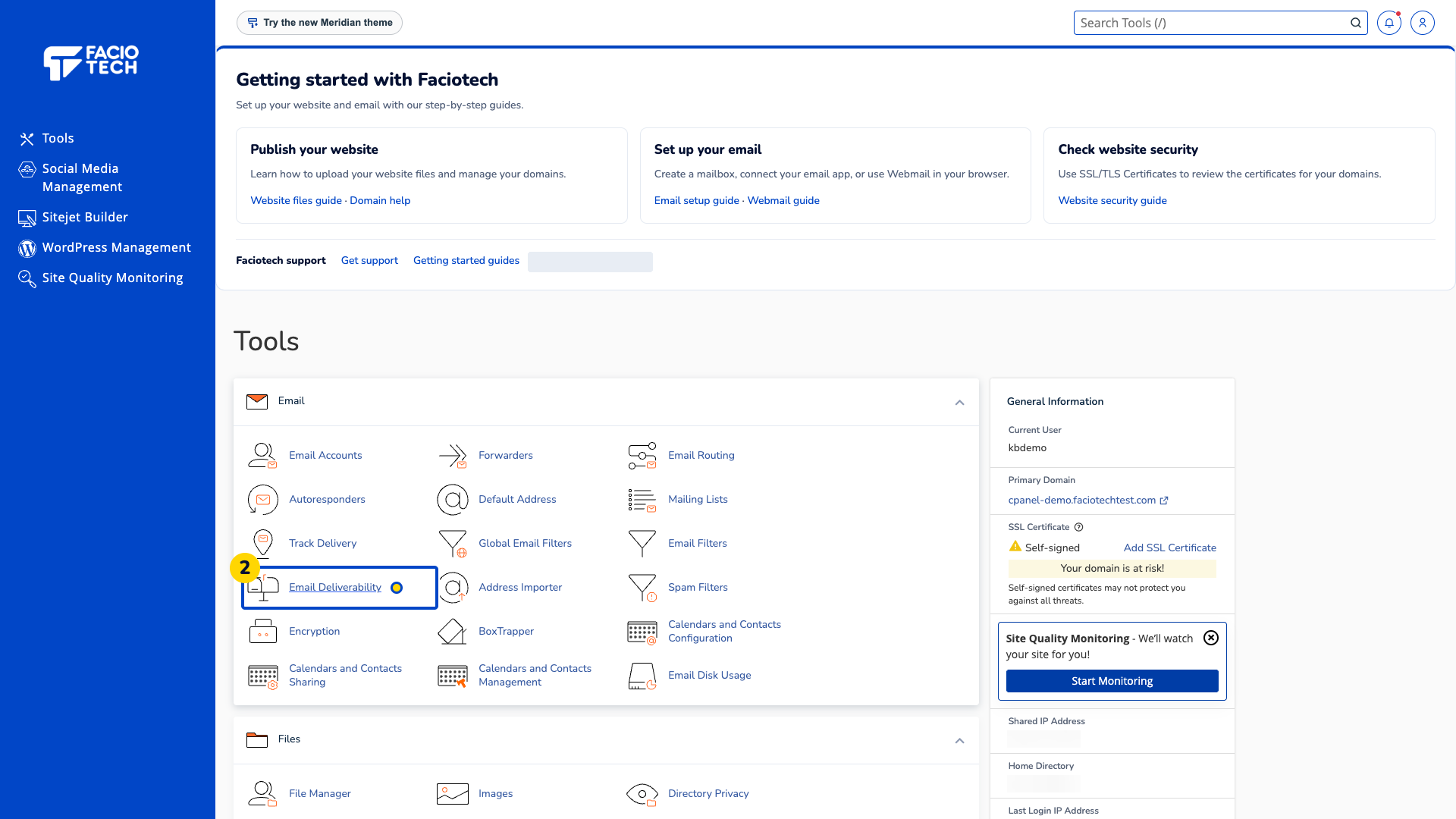
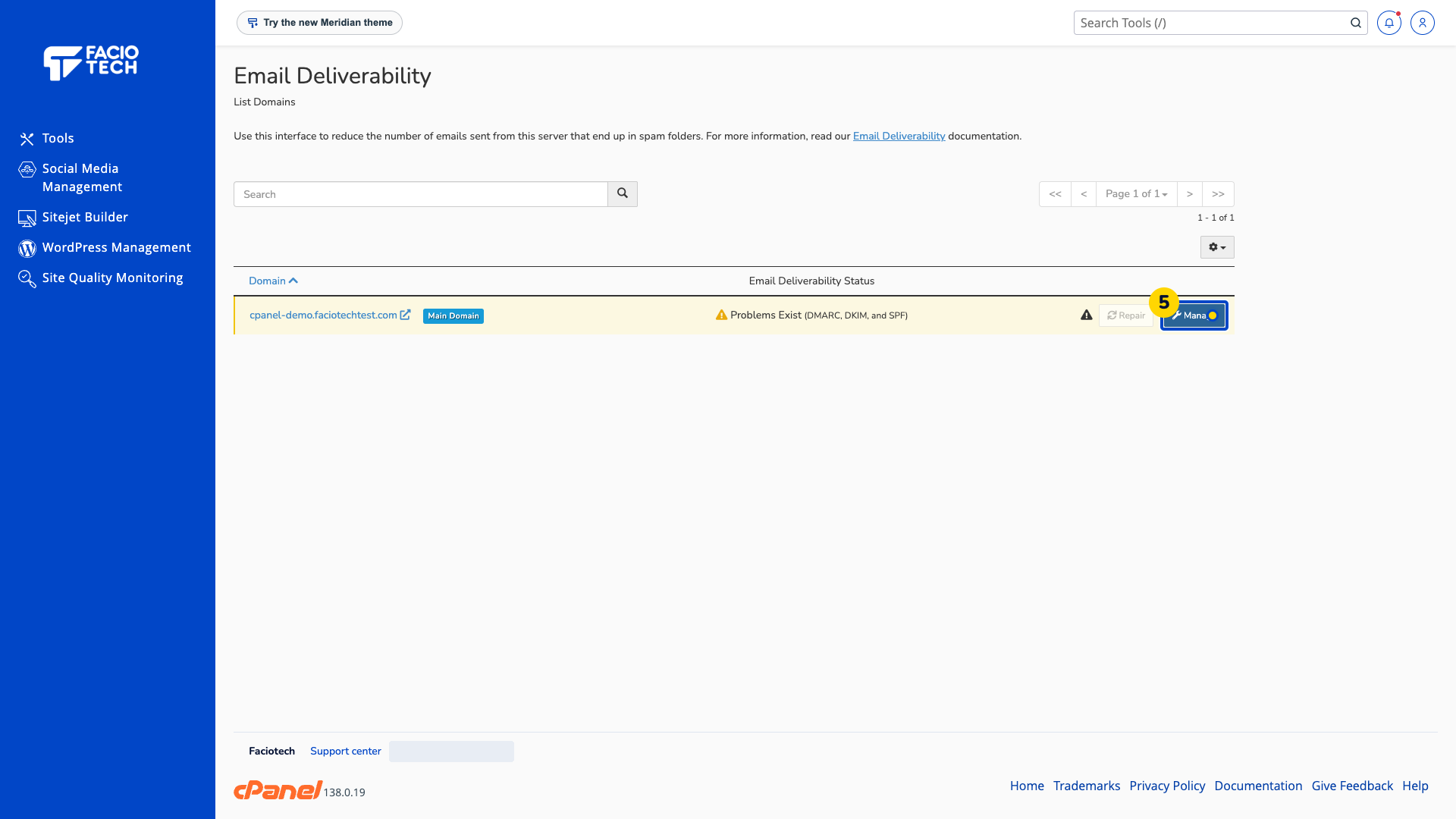
Find the domain you want to check in the list.
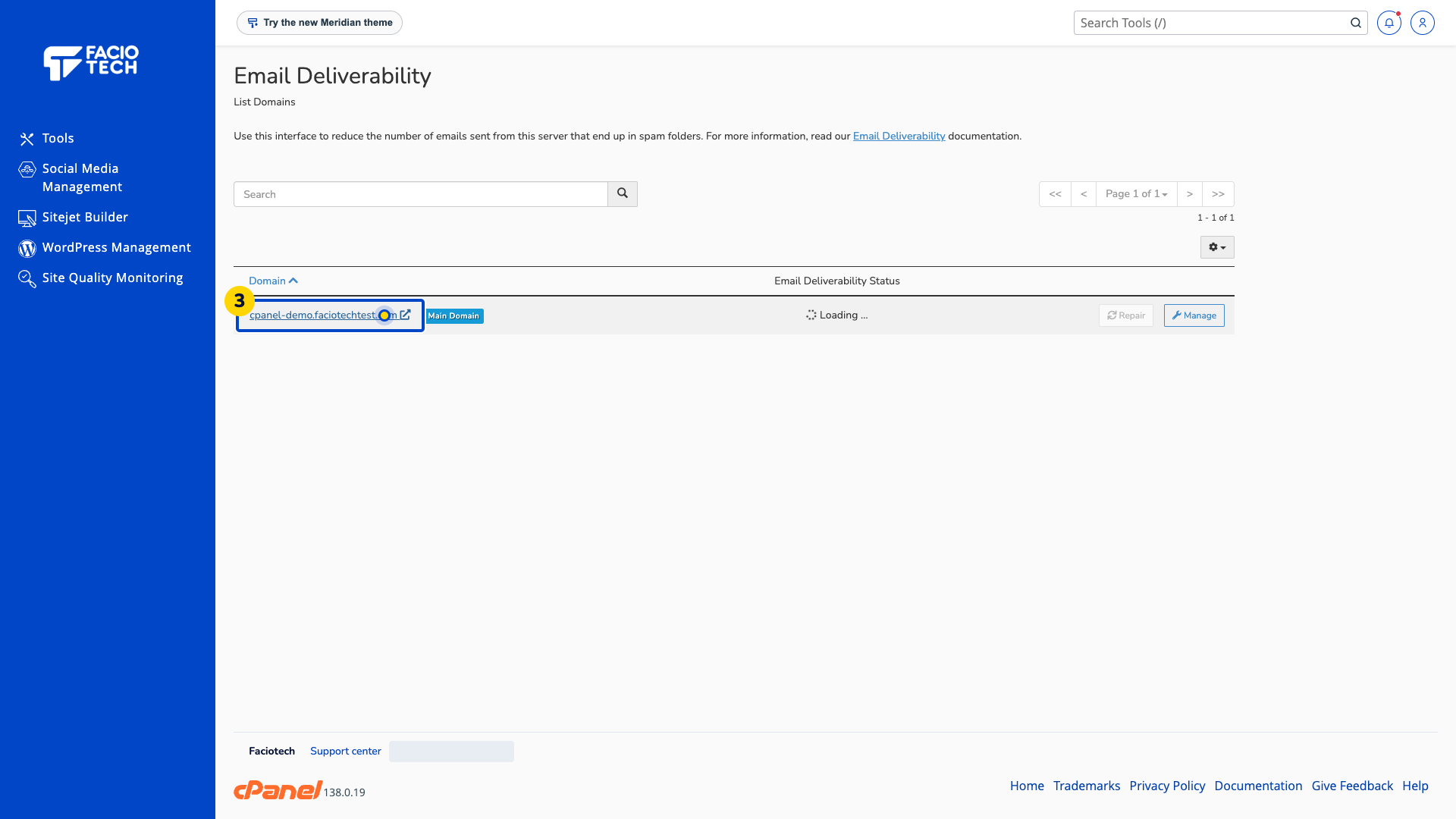
Read its Email Deliverability Status. The demo reports problems with DMARC, DKIM and SPF; your domain may show a different result.
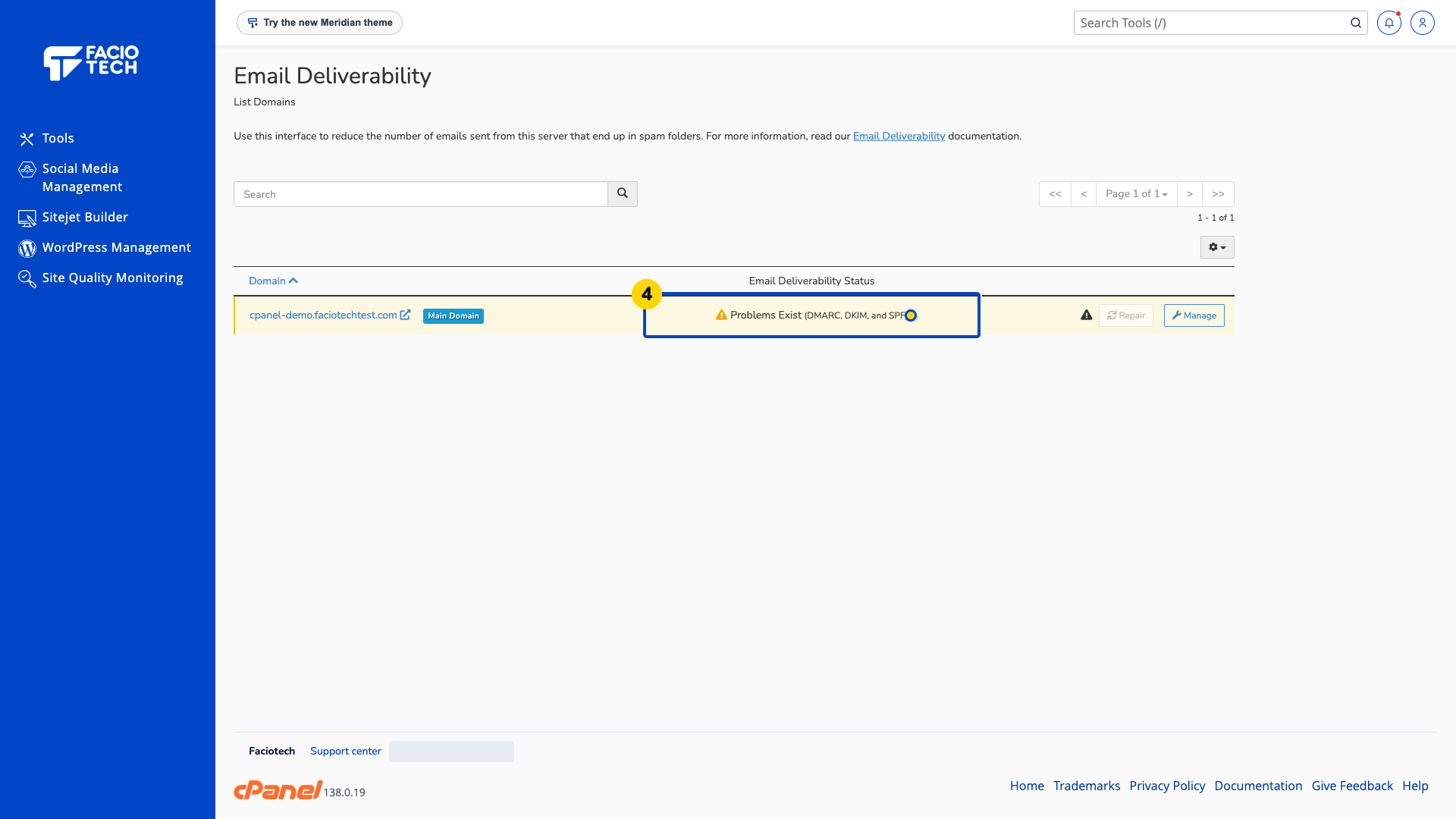
Choose Manage beside the domain. The details explain each reported check.
Keep the exact error wording and the time you checked it when asking for help.
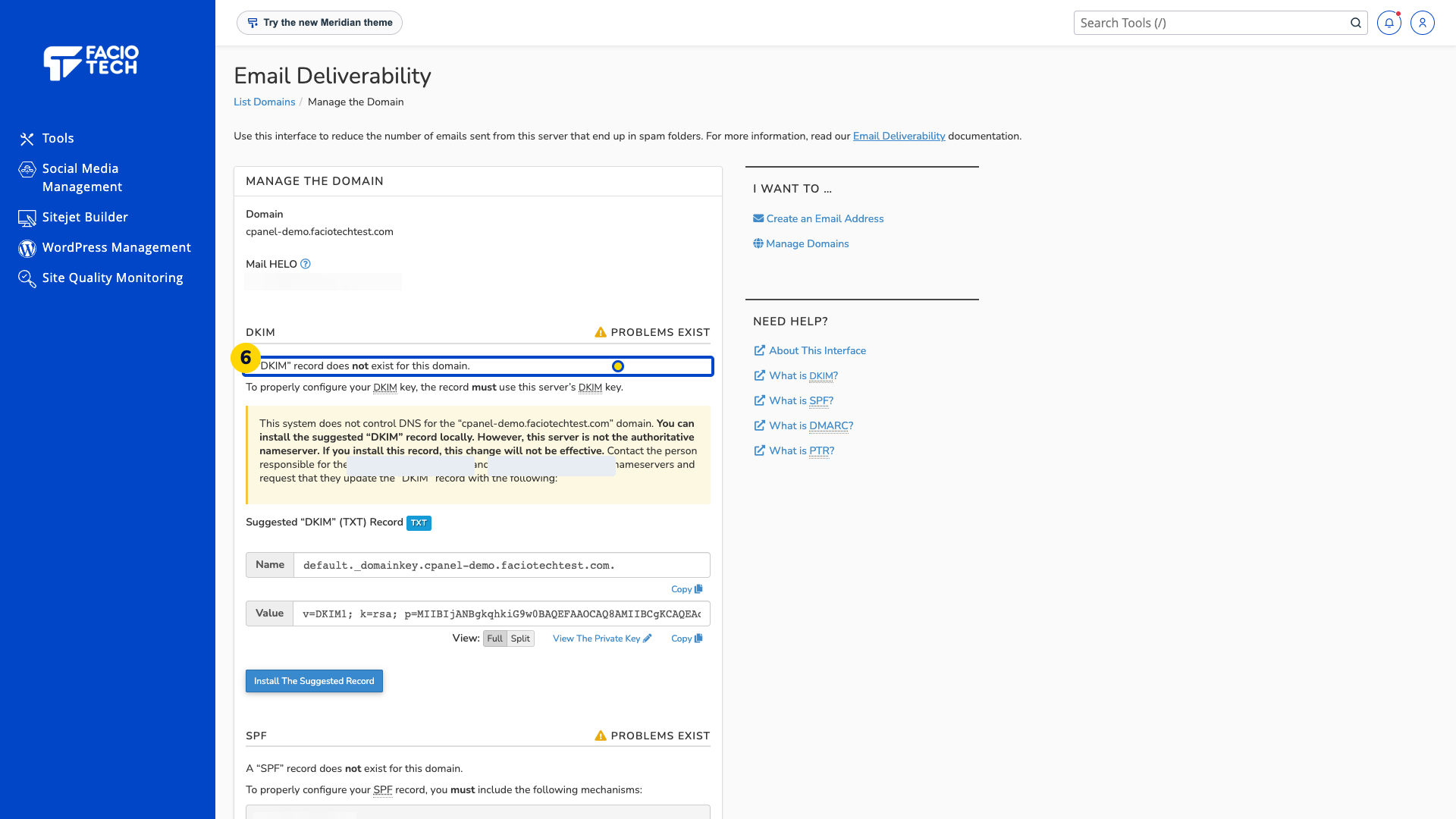
Ask support before changing records if you are unsure where your DNS is managed.
A suggested record shown by cPanel is not proof that the record is published by your DNS provider. Authentication checks do not guarantee that a message will reach an inbox.
Video walkthrough
Sources
For help, contact Faciotech support.
