
The default address controls what happens to mail sent to an address that does not exist on your domain.
Log in to cPanel from your client area. If that link is unavailable, use the panel address in your welcome email. The cPanel dashboard opens.
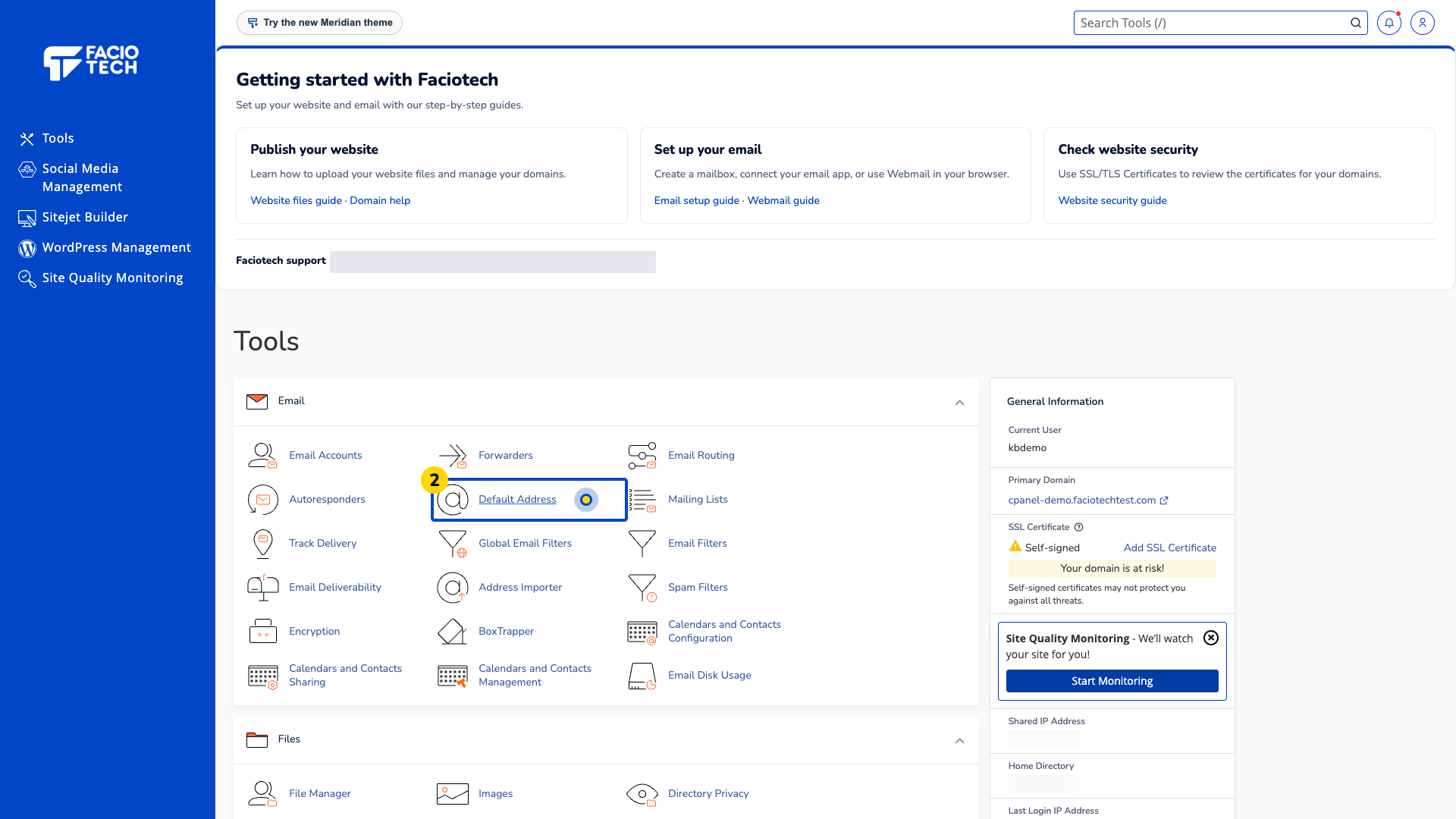
Open Default Address from Tools. The Default Address page opens.
Check the domain under Default Address Maintenance. You will see its Current Setting below.
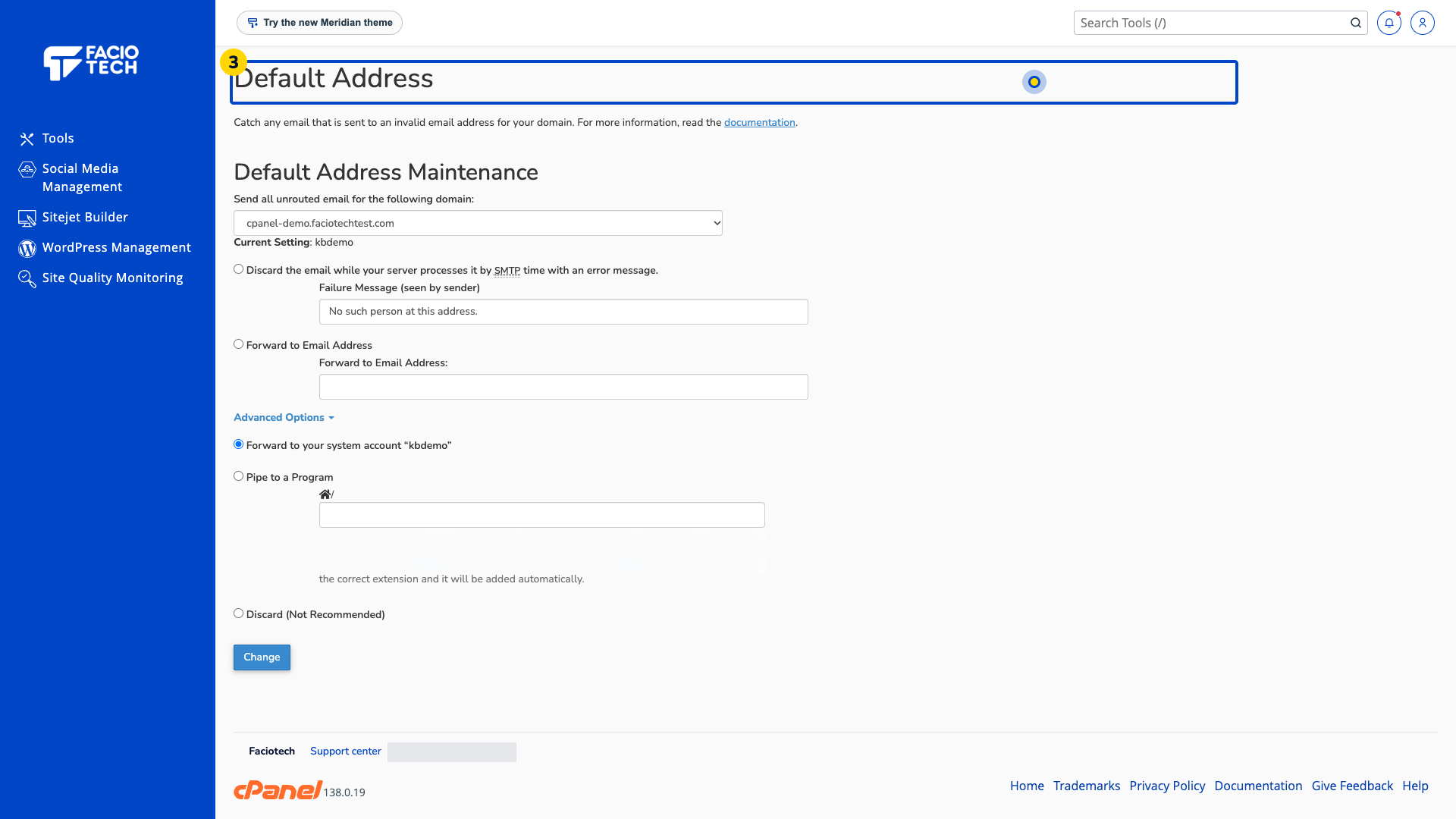
Read the current destination or rejection choice. Compare it with how you expect invalid addresses to be handled.
Ask support about any unexpected destination before saving a change.
The system account shown in this demo is separate from a named mailbox such as hello@your-domain. The available choices include rejecting invalid recipients or forwarding their mail; confirm the intended behaviour before changing it.
For help, contact Faciotech support.
