
Check the routing information for your domain before asking for a mail-delivery change.
Log in to cPanel from your client area. If that link is unavailable, use the panel address in your welcome email. The cPanel dashboard opens.
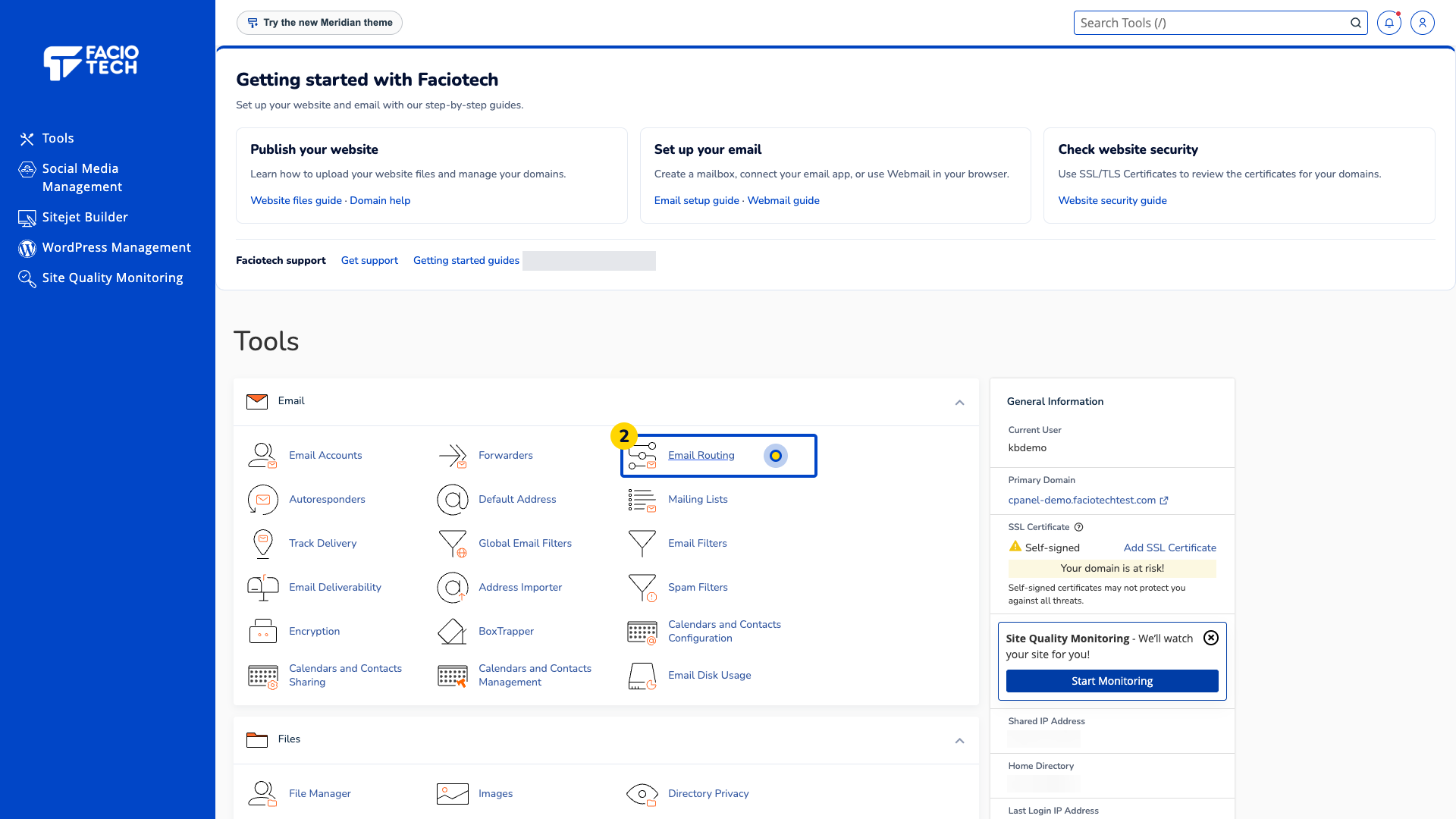
Open Email Routing from Tools. The Email Routing page opens.
Check the domain shown under Domain. Make sure it is the domain whose mail you need to review.
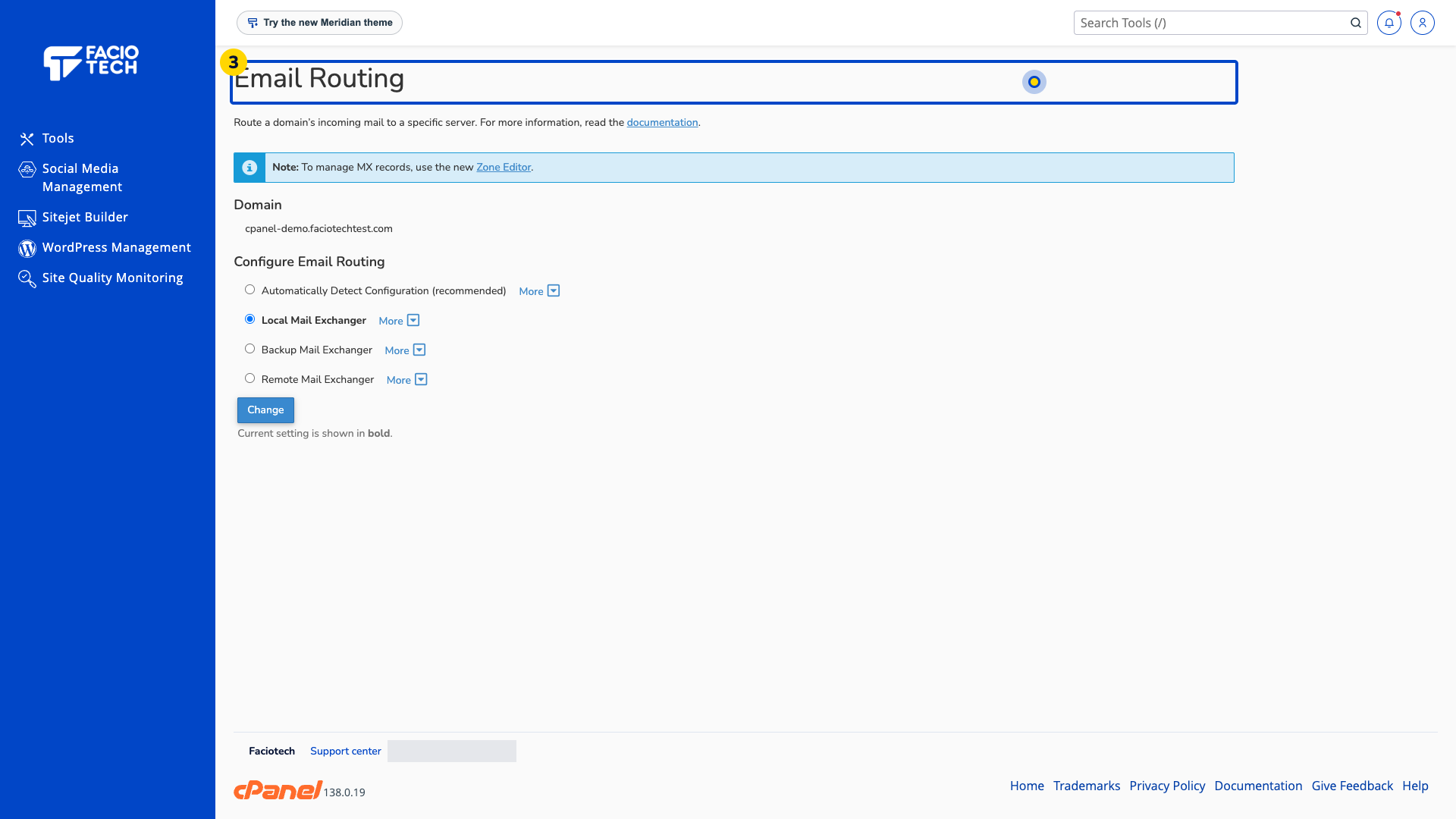
Read the option shown in bold under Configure Email Routing. The page identifies this as the current setting.
Ask support to check the setting against your email provider if it looks wrong. Include the domain and current option.
Email Routing and MX records have related but different roles. This walkthrough reads the setting without changing routing or DNS.
For help, contact Faciotech support.
