
Find the repository list and read any access warning before setting up Git.
Log in to cPanel from your client area. If that link is unavailable, use the panel address in your welcome email. The cPanel dashboard opens.
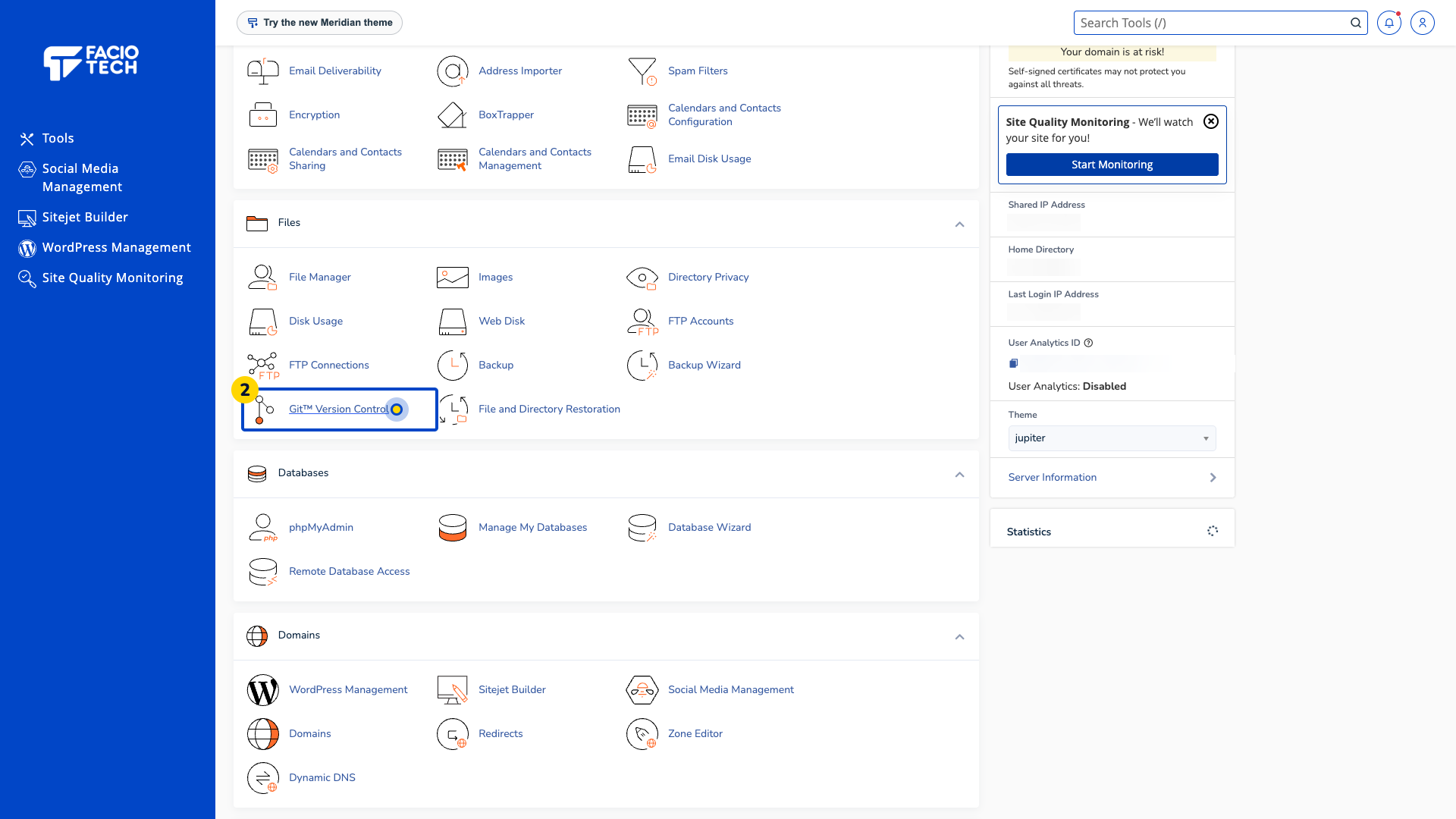
Open Git™ Version Control from Tools. The Git™ Version Control page opens.
Read the repository list. The demo currently contains no repositories.
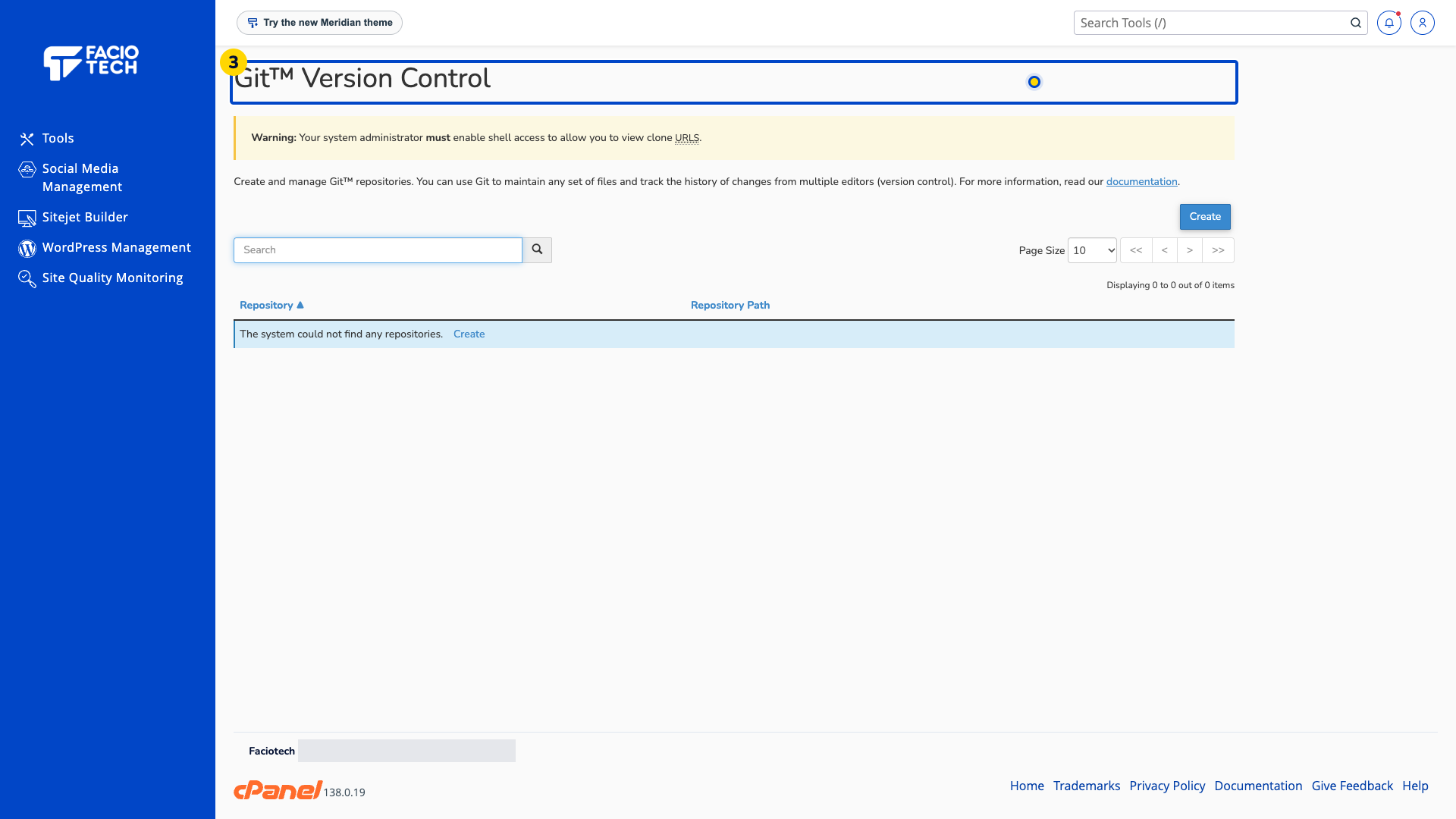
Check for a shell-access warning. Ask support about the access needed for your service before using a clone URL.
Agree a repository and publication workflow with the website owner before connecting a live site.
For help, contact Faciotech support.
